How to Turn Your Phone Into a Personal Health Dashboard
Free apps from Google, Samsung and Apple can help you track your diet, exercise and well-being — and provide vital information during emergencies.
Free apps from Google, Samsung and Apple can help you track your diet, exercise and well-being — and provide vital information during emergencies.
The health app on your phone’s home screen has many uses, even if you don’t have a smartwatch or fitness tracker. With a little manual effort, you can use the app to get a better idea of your general wellness.
For example, you can keep a food-and-fitness diary there. Most phones provide a free basic step-counting function. And you can link other exercise and diet apps you use to streamline your data.
Many medical providers let you import records from your doctor, and you can create a “medical ID” for your phone’s lock screen in case of emergency.
Here’s how to get started.
Choose Your App
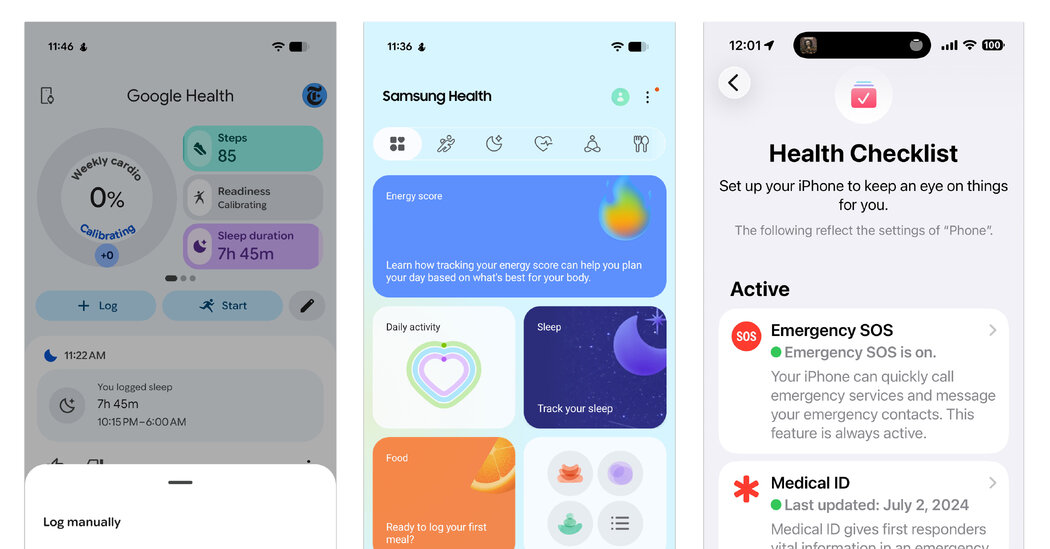
Although third-party options abound, the basic health apps from Google, Samsung and Apple have been available for years and have been steadily adding new features:
-
Google recently revamped its Google Health app (formerly its app for FitBit devices) and is phasing out the older Google Fit software. Google Health is free in the app stores for Android and iOS.
-
Samsung Health, updated last month, comes with Galaxy phones. It is also available for other Android and iOS users, particularly those using Samsung’s fitness trackers and smartwatches.
-
Apple’s Health app comes preinstalled on iPhones and iPads (and collects data from paired Apple Watches). It does not have an Android version.
The menus in the health apps can be a little overwhelming, so take time to explore. Each app offers a place to manually log your daily workouts, food intake, emotional state and sleep time.
You can set up medication reminders. And if you use a compatible separate exercise or diet app, you can often link it to the health app so you don’t have to log updates twice.